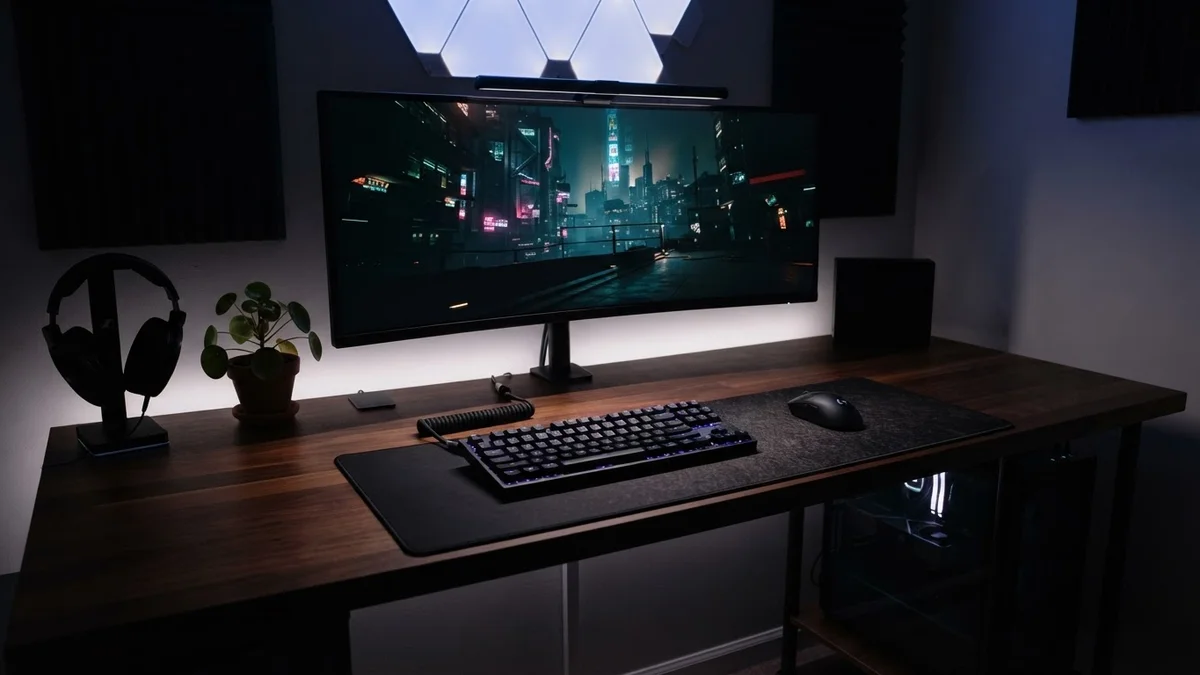
PC gaming offers flexibility, a huge library of games and the freedom to upgrade over time. But a great experience depends on more than raw computer power. Your desk, chair, screen and accessories all affect comfort and performance. This guide covers the basics for beginners.
Key Hardware Components
| Component | What it does | Beginner tip |
|---|---|---|
| Processor (CPU) | Runs game logic and background tasks | A modern mid-range CPU is enough for most games |
| Graphics card (GPU) | Draws the game’s visuals | The most important part for gaming performance |
| Memory (RAM) | Holds data the game is using | 16 GB is a comfortable starting point today |
| Storage (SSD) | Stores games and loads them | An SSD cuts loading times dramatically |
| Power supply | Powers all components | Choose a reliable brand with some headroom |
Pre-Built or Custom?
Pre-built PCs are convenient and come with a warranty. Building your own can save money and teaches you how your system works. Either way, check the specifications against the games you want to play.
Arrange Your Desk
- Place the monitor about an arm’s length away with the top at eye level.
- Keep the keyboard and mouse close so elbows stay relaxed.
- Leave space for mouse movement, especially for fast-paced games.
- Manage cables with clips or ties for a tidy, safe setup.
Comfort Matters
A supportive chair, good lighting and proper posture help you play longer without aches. Avoid sitting in a dark room with only a bright screen; soft background lighting reduces eye strain.
Peripherals Worth Considering
- A responsive mouse that fits your hand size
- A keyboard you enjoy typing and playing on
- A comfortable headset with a clear microphone for team games
- A large mouse pad for smooth tracking
Keep Your System Healthy
Update graphics drivers regularly, keep vents clear of dust and monitor temperatures. Good airflow helps components last longer and perform better.
Conclusion
The best gaming setup balances performance and comfort. Focus on a good graphics card and SSD, arrange your desk properly and invest in accessories that make long sessions comfortable.
Disclaimer: This article is for general information only. Product features, prices and availability vary by region and change over time. We are not affiliated with any game publisher or hardware manufacturer mentioned.